Released 3/18/26
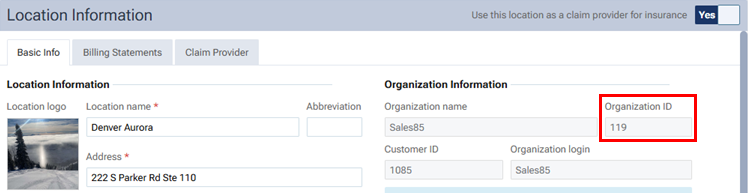
You can now view your organization ID from within Dentrix Ascend.
On the Settings menu, select Location Information.
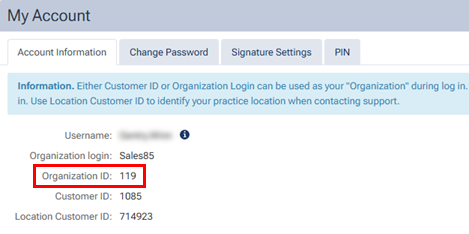
On the User menu (the menu that displays your first name), select My Account.

Released 3/18/26
You can now view your organization ID from within Dentrix Ascend.
On the Settings menu, select Location Information.
On the User menu (the menu that displays your first name), select My Account.