
Released 7/8/26
On a patient form, a patient’s preferred pharmacy can now be pre-filled automatically. Also, in a patient’s record, the preferred pharmacy can now be added, changed, or deleted according to what appears on a completed patient form.
This new synchronization is intended to help in the following ways:
- Reduce the time to complete patient forms that include a pharmacy selection. Patients don’t have to re-enter pharmacy information if the correct pharmacies are already associated with their patient records.
- Reduce manual data entry of pharmacy information. Staff should not have to repeatedly search or re‑enter pharmacy information.
- Increase the accuracy and consistency of stored pharmacy information.
- Minimize duplicate or conflicting pharmacy information in patients’ records.
Pre-filling Pharmacy Information on Forms
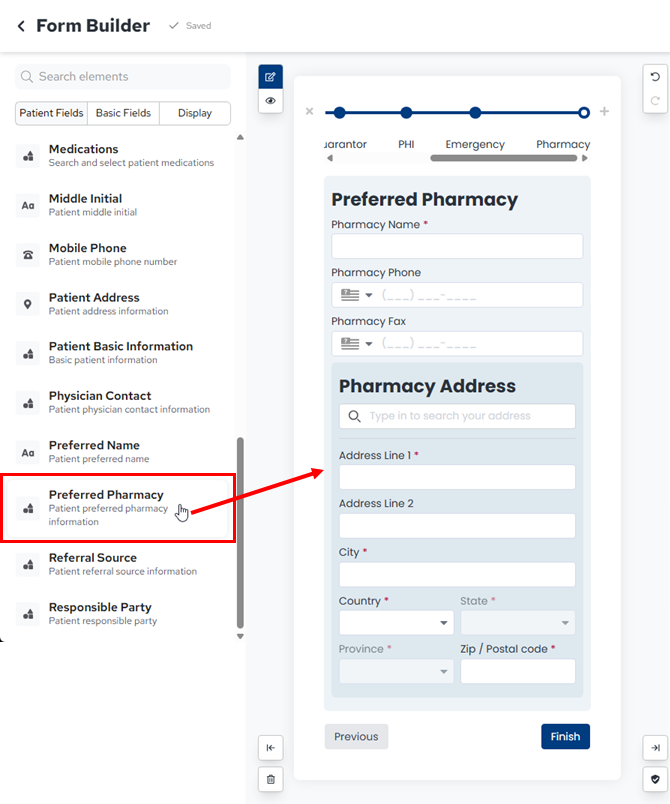
To have pharmacy information on a patient form sync with patients’ records, the form must include the Preferred Pharmacy element.
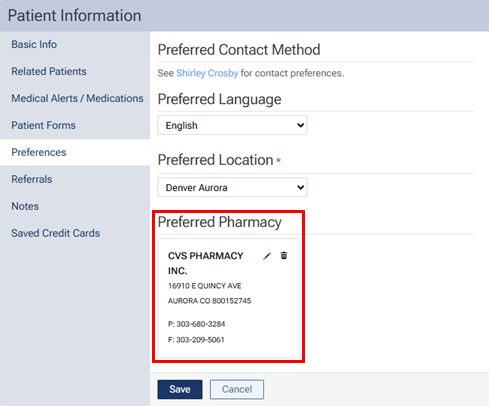
To pre-fill pharmacy information on a form, a patient’s Preferred Pharmacy must be entered in Dentrix Ascend.
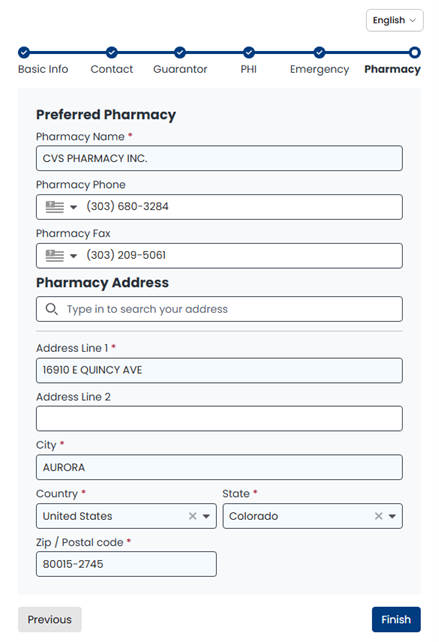
When the patient is completing a form with pharmacy information, the name, phone number, fax number, and address of the patient’s preferred pharmacy appear on the form automatically. The patient can leave the pre-filled information if everything is correct, make any necessary changes, or remove the pharmacy (if the fields are not required).
Syncing With Patient Records
Pharmacy information that is submitted by patients on forms is automatically matched against existing pharmacy information in their records in Dentrix Ascend and attached, updated, or removed as applicable (see the scenarios below).
Scenarios:
- Pharmacy not changed – If a received form includes pharmacy information that matches the patient’s existing pharmacy information, the patient’s existing pharmacy information remains unchanged.
- Pharmacy changed and a match is found – If a received form includes pharmacy information that does not match the patient’s existing pharmacy information, and there is a matching pharmacy in the NPPES registry, the patient’s existing pharmacy information is replaced with the pharmacy information from the form.
- Pharmacy changed but a match is not found – If a received form includes pharmacy information that does not match the patient’s existing pharmacy information, and there is not a matching pharmacy in the NPPES registry, the patient’s existing pharmacy information remains unchanged.
- Pharmacy removed – If pre-filled pharmacy information has been removed from a received form (if allowed), the patient’s existing pharmacy information is removed.