
Released 3/25/26
With Dentrix Ascend Forms, after patients complete forms online, they will now see an option to save a card on file. Having cards on file before patients’ appointments reduces front desk friction, minimizes manual entry errors, and provides touchless payment capabilities.
Notes:
- This functionality is available only if your office uses Dentrix Ascend Pay (through Worldpay).
- There is no additional cost to use this functionality if your office is already using Worldpay.
- The workflow is fully PCI-DSS compliant, leveraging Worldpay’s hosted solution for all sensitive data handling.
- No card data is stored in Dentrix Ascend.
To enable a card-on-file option for forms
1. Go to Settings > Form Builder.
2. Click the Settings button (gear icon), which is next to the Create Form button.

Note: The Settings button is available only if your office has an active Worldpay subscription.
The General settings appear.
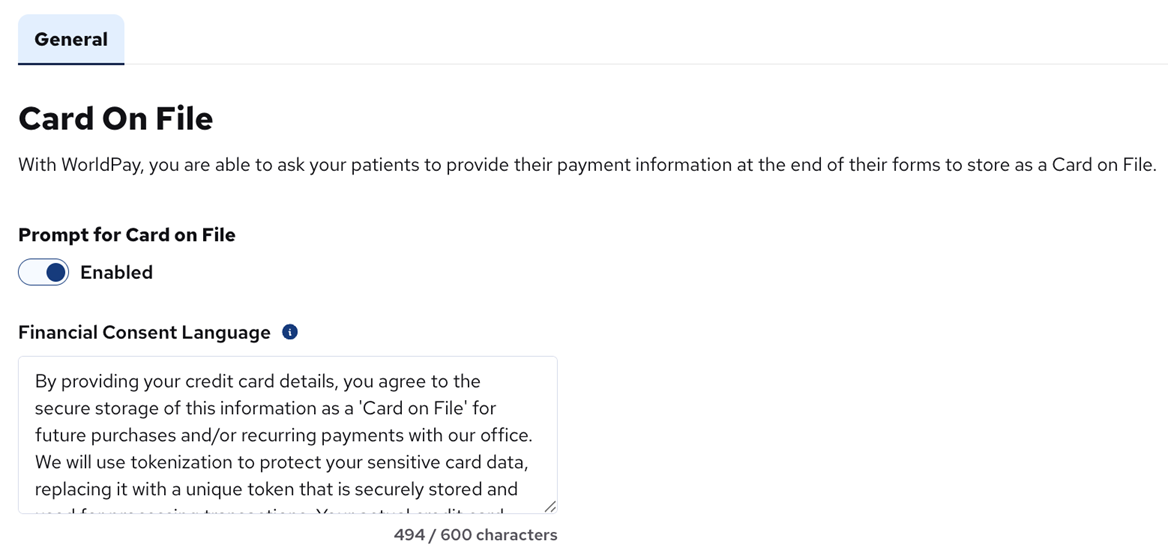
2. Turn on the Prompt for Card on File switch (the label changes to “Enabled”).
3. You can also customize the Financial Consent Language as needed. This is the text of the “Financial Consent” message that appears before the user enters his/her credit card information.
To add a card on file
1. The patient completes and submits an online form.
The success page appears.
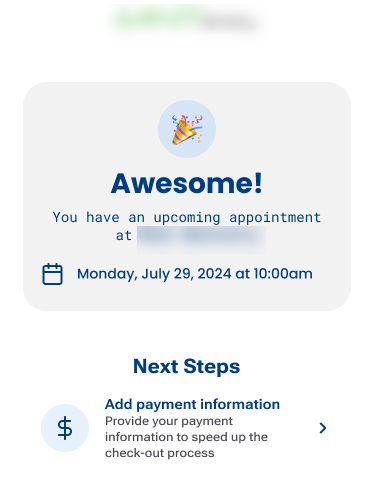
2. The patient clicks Add payment information.
The Financial Consent message appears.
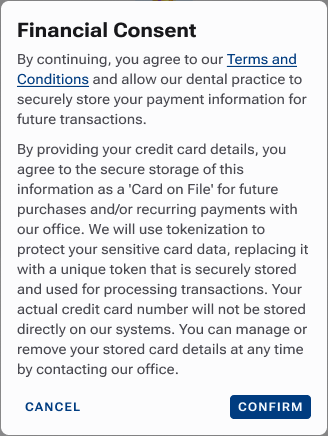
3. Click Confirm.
The page for entering credit card details appears.
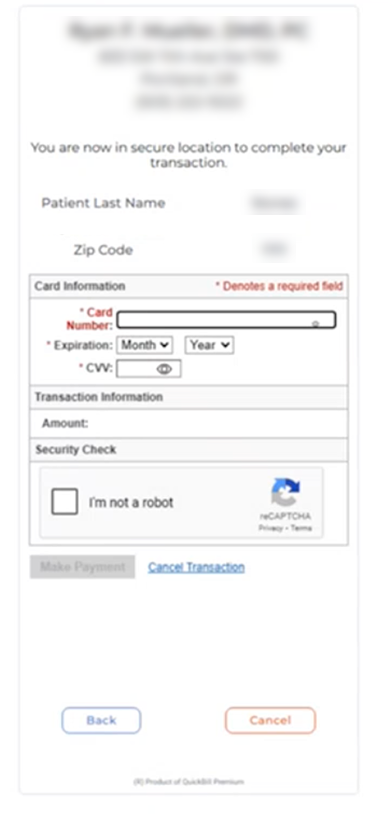
4. Specify the card information, complete the security check, and then click Make Payment.
Notes:
- Worldpay collects the card details and performs a $0.00 authorization.
- Worldpay tokenizes the card and returns a token to Dentrix Ascend, where it is associated with the patient’s record.