
Released 7/29/26
A patient form can now include an option for a patient to consent to receiving information about dental savings plans (DSPs) from DentalPlans.com. This option is presented when a patient indicates that he or she does not have dental insurance. If the patient opts in, the patient’s contact information and consent are captured, and DentalPlans.com sends the available plan options to the patient.
Benefits of enabling the integration and offering dental savings plans:
- For patients – Affordable care options at the right time, reducing financial barriers.
- For practices – Higher case acceptance, improved patient loyalty, and new revenue opportunities.
Enabling DentalPlans.com Integration for a Form
In the form builder (Settings > Form Builder), while you are adding or editing a form, make sure the form includes the “Dental Insurance Information” element.
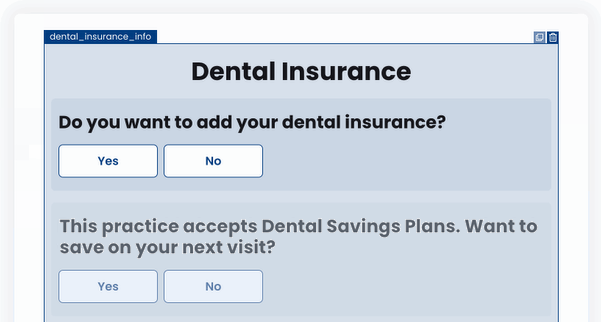
With the “Dental Insurance Information” element included on the form, you can enable the dental savings plan question in the form’s settings.
To enable the form setting
1. Do one of the following:
- While you are adding or editing the form click Next.
- In the Actions column, click the form’s ellipsis (three dots) to view a menu, and then select Settings.
The Form Settings appear.
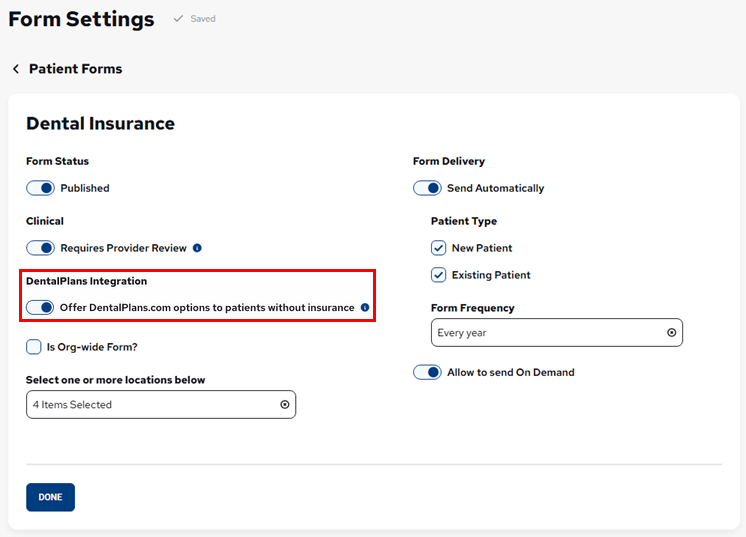
2. Turn on the Offer DentalPlans.com options to patients without insurance switch.
Important: This option is available only if at least one location is a participating provider with DentalPlans.com.
3. Click Done.
Patient Requesting Information about Dental Savings Plans
1. When a patient is completing a form that includes the “Dental Insurance Information” element, he/she selects No in response to the question about adding dental insurance information.

A question that asks if the patient wants to receive information about dental savings plans appears.
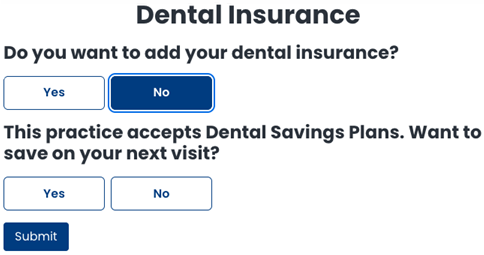
2. The patient selects Yes.
A consent message and a contact option appear.
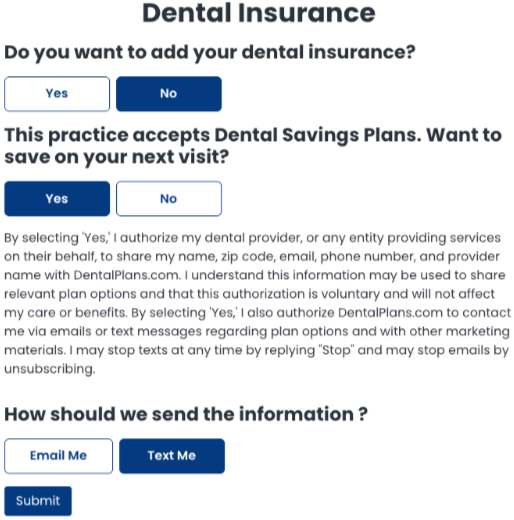
Note: By selecting Yes, the patient consents to the sharing of his/her personal information with DentalPlans.com. The patient’s first and last name, ZIP Code, email address, and phone number are shared. Also, the provider’s name and practice identifiers are shared.
3. The patient specifies how he/she wants to receive information about DentalPlans.com by selecting Email Me and/or Text Me.
Notes:
- The patient’s responses to these questions are included on the .pdf file that is saved in the patient’s Document Manager when the form is submitted.
- This phase of this feature focuses only on informing patients about dental savings plans. A later phase will allow for the capturing of plan details for patients who already have a dental savings plan.
4. The patient does one of the following:
- If there are other elements on the form, he/she clicks Next, completes the rest of the form, and then clicks Submit.
- If this is the last element on the form, he/she clicks Submit.