
Released 2/25/26
On the Unresolved Claims page and the Unsent Claims page there is now a “Go to Ledger” link that you can click to open the corresponding patient’s ledger.
Unresolved Claims
1. On the Home menu, select Unresolved Claims.
The Unresolved Claims page opens.
2. Expand a carrier section on the left, and then select a patient’s name.
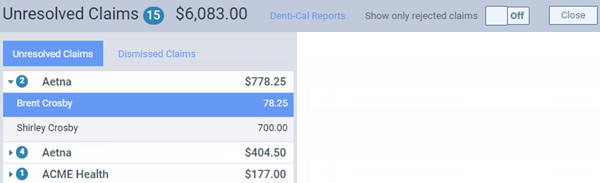
The claim details appear on the right.
3. Click the Go to Ledger link.

The patient’s Ledger page opens on a new browser tab.
Unsent Claims
1. On the Home menu, select Unsent Claims.
The Unsent Claims page opens.
2. Click the Go to Ledger link under a patient’s name.

The patient’s Ledger page opens on a new browser tab.