Released 4/8/26
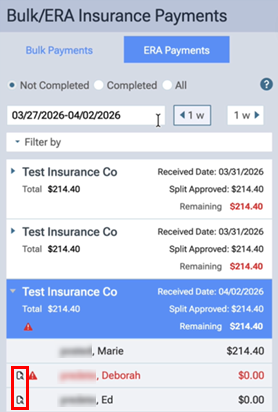
When a predetermination is received and appears on the ERA Payments tab of the Bulk/ERA Insurance Payments page, a predetermination symbol (instead of the zero-dollar symbol) appears for that predetermination.
The symbol for a predetermination is a paper with a magnifying glass.

This symbol appears to the left of each applicable patient’s name.
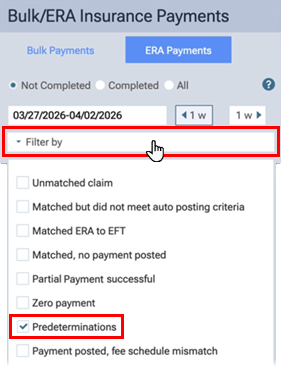
Also, you can now filter the list of ERAs to include only predeterminations. Expand the Filter by menu to select or clear the Predeterminations checkbox. With the checkbox selected, ERAs are included only if they were matched to predeterminations. With the checkbox clear, ERAs are included whether or not they were matched to predeterminations.