Released 11/24/25
Previously, a user had to be granted the “Edit Ins. Plan for Patient” security right to be allowed to request eligibility data on demand and verify a subscriber on demand. Now, there is a security right that controls whether a user can perform those tasks or not: the “Request Eligibility” right. For each user role, in the “Insurance” category, the status of the “Edit Ins. Plan for Patient” right is unchanged, and the new “Request Eligibility” right is selected by default.
Note: An administrator (a user with permission to change rights) can remove access to “Edit Ins. Plan for Patient” and/or “Request Eligibility” as needed.
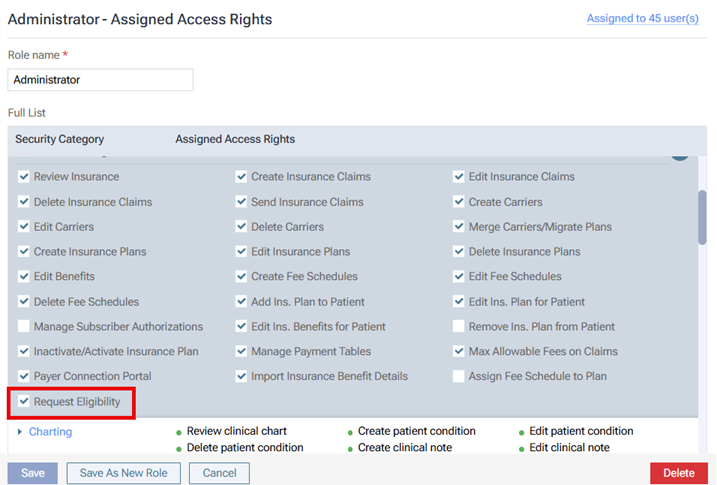
The “Request Eligibility” security right is required to request eligibility data for a patient on demand on the Insurance Eligibility page: go to Schedule > Insurance Eligibility, and then click an Essentials or Pro link.

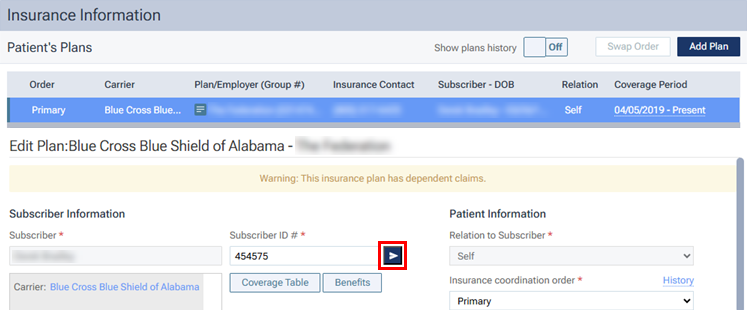
The “Request Eligibility” security right is required to verify the subscriber for a patient’s insurance plan on demand on the patient’s Insurance Information page: go to Patient > Insurance Information, select a plan, and then click the Verify button
 next to the Subscriber ID # box.