
On the campaigns dashboard (go to Settings > Patient Communications, and then select the Campaigns tab), the following metrics now appear:
- Active Campaigns – The number of campaigns with a “Scheduled” status.Note: A campaign, whether its type is Instant or Scheduled, remains active until all messages have been sent or delivery has been attempted.
- Total SMS Delivered – The number of text messages that have been sent successfully.
- Total Emails Delivered – The number of email messages that have been sent successfully.
- Email Open Rate – The percentage of delivered email messages that have been opened either automatically (such as by Apple Mail Privacy Protection) or by the recipient.
- Email Click-Through Rate – The percentage of delivered email messages in which the recipient has clicked a link (text or a button that links to a website).
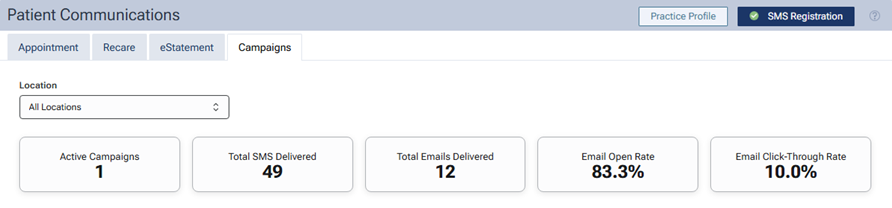
Note: As you apply filters, the metrics update automatically based on the campaigns that match the filter criteria.
Note: The Campaigns feature is available only with a Dentrix Ascend Pro or Accelerate subscription. It is not available with an Essentials subscription.