EARLY ACCESS ONLY
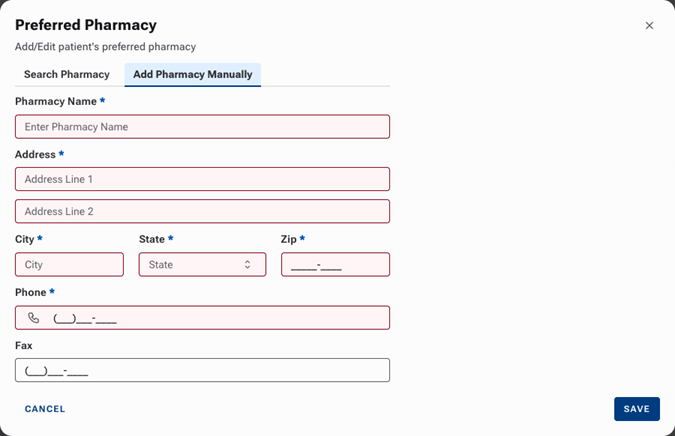
Previously, if a pharmacy did not show up when you searched for it, and you added it manually, the next time you searched for that pharmacy, you would have to enter all that pharmacy’s information again. Now, a manually entered pharmacy is saved so that the next time someone searches for it, it will show up in the search results.
To add a preferred pharmacy for a patient
Go to Patient > Prescriptions.
Under Preferred Pharmacy, click +ADD.
If you are unable to find the correct pharmacy using the search, select the Add Pharmacy Manually tab, and then enter the pharmacy details: name, address, phone number, and fax (optional). Click Save.