Released 12/17/25
If an ERA payment has been matched to a claim in Dentrix Ascend, either manually or automatically, on the patient’s ledger, an ERA icon now appears next to that claim’s description.

You can click the ERA icon to open a PDF document of the ERA on a new browser tab.
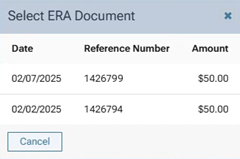
Note: If there are multiple ERA payments for the claim, when you click the ERA icon, the Select ERA Document dialog box appears. Click the document that you want to view to open it on a new browser tab.
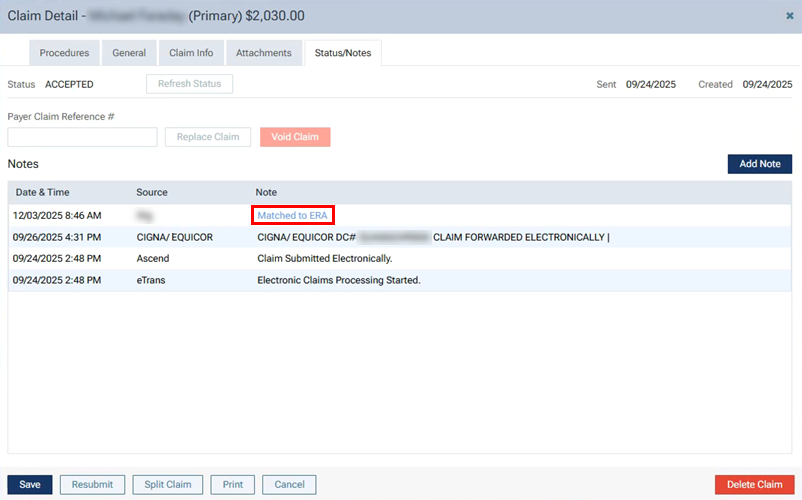
Additionally, you can view a PDF document of the ERA from the claim’s notes. Click the claim on the ledger to open the Claim Detail dialog box, and then select the Status/Notes tab. For each matched payment for the claim, there is an entry with a Matched to ERA link, which you can click to open the document on a new browser tab.