Released 10/21/26
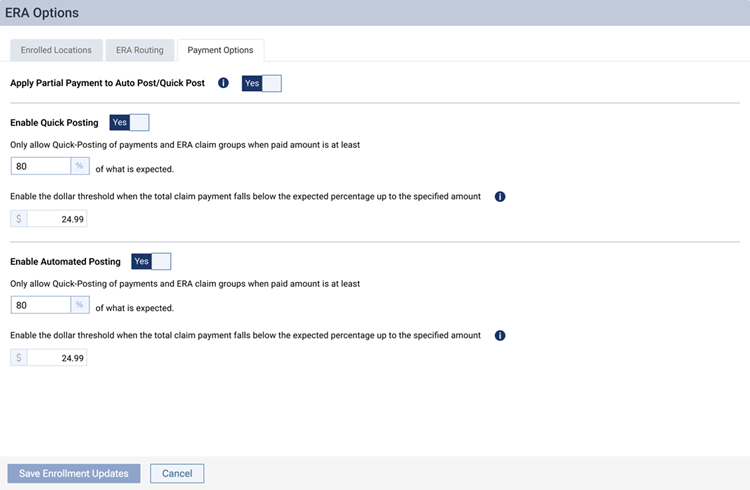
The ERA payment options have been moved to a different location in Dentrix Ascend. These options are now located in the same area where you enroll locations in ERAs and specify the routing method for ERAs.
Notes:
- The functionality of the options remains the same; only how you get to the options has changed.
- Managing ERA payment options still requires the “Manage ERA Payment Options” security right.
- The ERA payment options still apply to all locations in your organization.
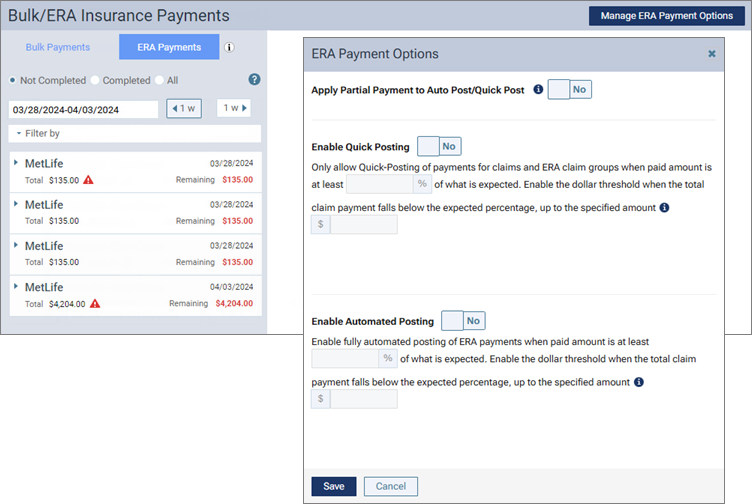
Before
On the Home menu, select Bulk/ERA Insurance Payments to open the Bulk/ERA Insurance Payments page. Select the ERA Payments tab on the left panel. Then, click Manage ERA Payment Options to open the ERA Payment Options dialog box.
Now
On the Settings menu, select ERA Options to open the ERA Options page. Then, select the Payment Options tab.