
Released 6/3026
If your office has a subscription for Eligibility Pro, and no payer connections are set up, an Eligibility Pro onboarding panel appears at the top of the Insurance Eligibility page (go to Schedule > Insurance Eligibility).
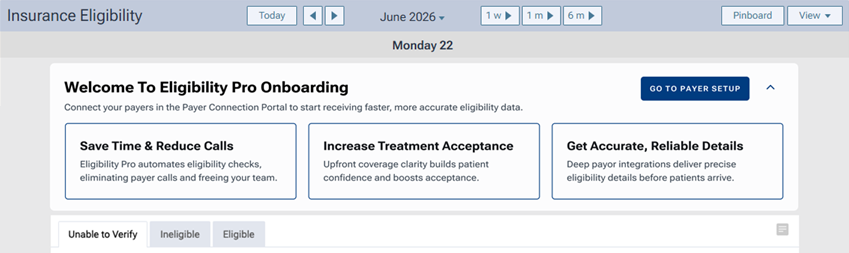
The Eligibility Pro onboarding panel explains the benefits of Eligibility Pro and provides a button to take you to the page where you can set up payor connections.
If the panel is expanded, and you want to collapse it, click the upward-pointing chevron in the upper-right corner. The GO TO PAYER SETUP button remains visible.
If the panel is collapsed, and you want to expand it, click the downward-pointing chevron in the upper-right corner.
Note: The state of the panel, meaning whether it is collapsed or expanded, persists for the next time you access this page using the same browser on the same computer, assuming the panel appears when you next access this page.
To open the Payer Connection Portal page on a new browser tab, click GO TO PAYER SETUP.