Released 6/9/26
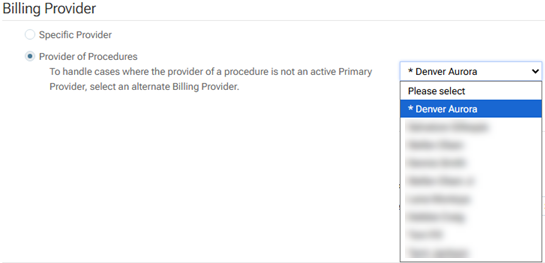
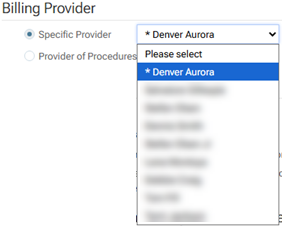
On a location’s Insurance Defaults page (go to Settings > Insurance Defaults), for Billing Provider, in either of the lists of providers, an asterisk (*) appears next the name of the billing entity associated with the location that you are currently logged in to so you can quickly identity the correct entity as a billing provider for claims, especially if locations share the same legal entity name.
On the Insurance Defaults page, there are provider lists for the following options under Billing Provider:
- Specific Provider – With this option selected, select a provider or entity from the corresponding list.
- Provider of Procedures – With this option selected, select a provider or entity from the list next to To handle cases where the provider of a procedure is not a Primary Provider, select an alternate Billing Provider.