
EARLY ACCESS ONLY
When you are creating a user account for a provider, when you set the Is Provider switch to Yes, Ascend now prompts you to enter the provider’s NPI.
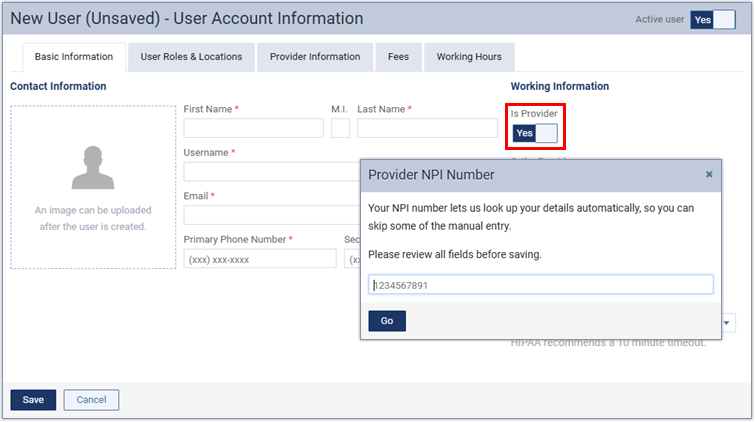
If the lookup succeeds, the following details (on the Provider Information tab) for the user account can be populated automatically:
- Short Name
- Specialty
- Contact Information (Address 1, Address 2, City, State, and ZIP Code)
- State ID #
- NPI #
Notes:
- You can review and edit the information as needed before saving.
- If the lookup fails (or if you skip it), you can enter information manually.