
Released 9/3/26
When you create a future payment plan for a patient, you can now apply a guarantor’s or patient’s unapplied credit straight to the plan’s down payment. You no longer need to move credit onto the account manually before you set up the plan.
Note: Future payment plans are included in the Orthodontics package (an add-on feature that you can purchase separately from your Dentrix Ascend subscription).
To apply unapplied credits
When you are creating a plan from a patient’s treatment plan preview or ledger, do the following during the Plan Terms step (notice that the layout has changed):
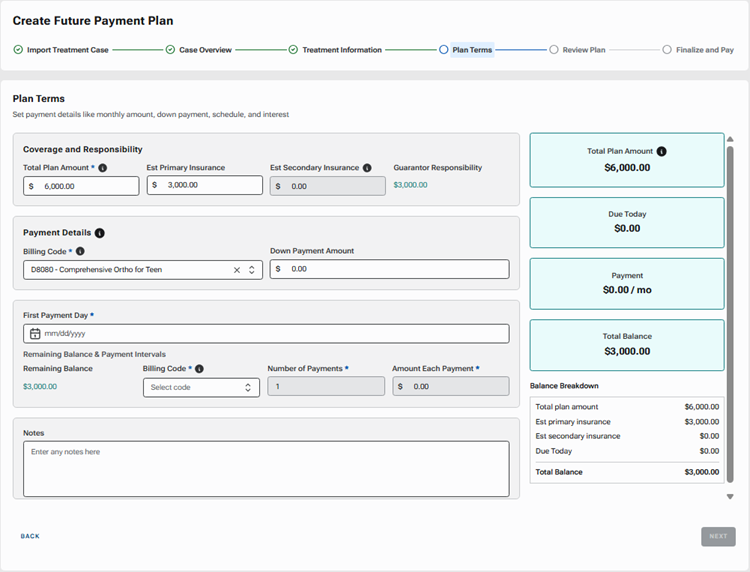
1. Under Coverage and Responsibility, confirm the Total Plan Amount, Est Primary Insurance, and Est Secondary Insurance.
2. Under Payment Details, select the Billing Code and Down Payment Amount.
If the guarantor or patient has an unapplied credit, the Unapplied Credit Available section appears.
3. Specify if or how you want to apply the guarantor’s and/or patient’s unapplied credit toward the down payment.
Notes:
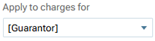
- For Guarantor Credit, the amount available to apply, if any, appears for your reference. For an unapplied credit on the guarantor’s account to be available to apply toward the down payment, for the payment that resulted in the unapplied credit, “[Guarantor]” (not the guarantor’s name) must have been selected for Apply to charges for.
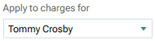
- For Patient Credit, the amount available to apply, if any, appears for your reference. For an unapplied credit on the patient’s account to be available to apply toward the down payment, for the payment that resulted in the unapplied credit, the patient’s name must have been selected for Apply to charges for.
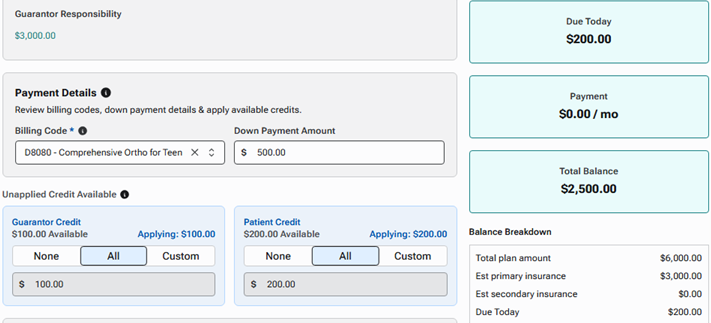
For Guarantor Credit, if an amount is available to apply, select None, All, or Custom. If you select Custom, enter the amount to apply toward the down payment.
For Patient Credit, if an amount is available to apply, select None, All, or Custom. If you select Custom, enter the amount to apply toward the down payment.
Note: The total amount of unapplied credit being applied cannot exceed the down payment amount.
The Due Today and Total Balance boxes are updated automatically.
Note: The amount for Due Today is the down payment amount minus the amount of the unapplied credit being applied (today, that amount will be charged to the credit card that will be associated with the plan). If the amount of the unapplied credit being applied equals the down payment amount, the amount due today is zero (today, nothing will be charged to the credit card that will be associated with the plan).
4. Select the First Payment Day.
5. Under Remaining Balance and Payment Intervals, to handle the remaining balance and recurring payments, select the Billing Code, and enter the Number of Payments.
6. Click Next.
After you have finished setting up the plan, in the patient’s ledger, in addition to the procedure charge and the credit card payment collected today, a payment is posted for each applied credit. The plan’s payment history also shows those applied credits.