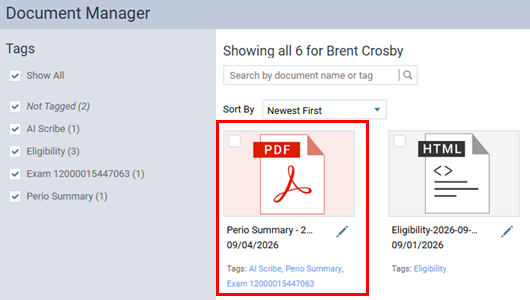
Released 9/9/26
After you finish entering or editing an exam with Dentrix Ascend Voice Perio, the Oral Health Summary appears. Now, you can save a copy of that summary in the patient’s document manager as a .pdf file.
Note: Voice Perio is available only with a Dentrix Ascend Accelerate subscription or the Ambient add-on (purchased separately).
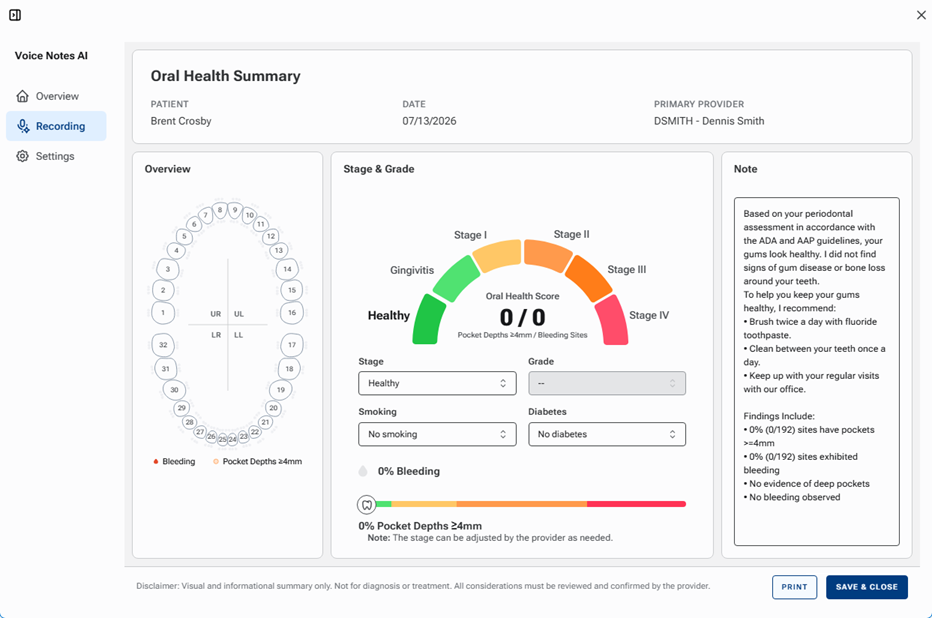
You can still print the summary if you want to do that before saving it.
Note: Previously, there were only PRINT and CLOSE buttons, so could only print the summary.

To save the summary to the patient’s document manager, click SAVE & CLOSE.
In the document manager, the following tags are added to the PDF document by default: AI Scribe, Perio Summary, and Exam [ID].