Released 1/28/26
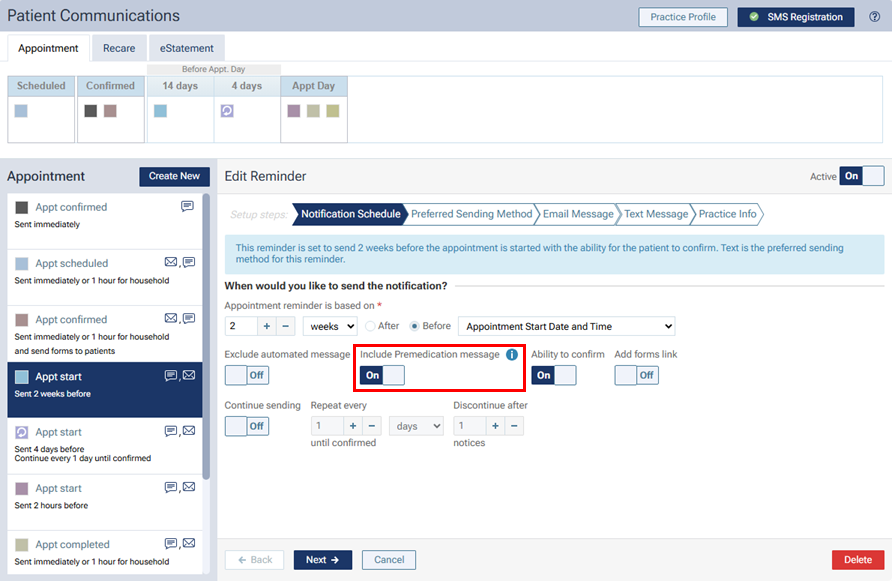
Previously, an appointment reminder could include a premedication message only if the reminder was sent as an email message. Now, an email or text message reminder for an appointment can include a premedication message.
As part of this change, the “Include Premedication message on Email” was renamed to “Include Premedication message.”
To include a premedication message to an existing reminder, on the Patient Communications page (go to Settings > Patient Communications), select an appointment reminder, and then set the Include Premedication message switch to On.