
EARLY ACCESS ONLY
If you are subscribed to both Dentrix Ascend and Jarvis Analytics, you have two separate logins. Now, you can quickly navigate from Dentrix Ascend to Jarvis Analytics without having to log in to Jarvis Analytics.
There is now an Analytics option on the Home menu in Dentrix Ascend.
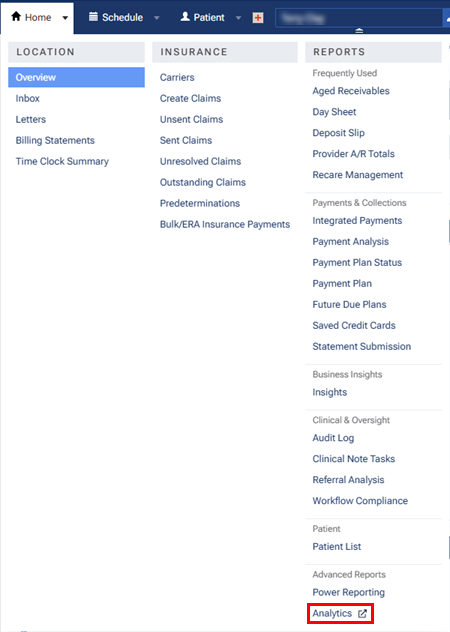
The Analytics option appears only if the following criteria are met:
- You have a subscription to Jarvis Analytics.
- You have one of the following security rights in Dentrix Ascend:
- Schedule/Recare Reports
- Financial Reports for All Providers
- Clinical Reports
- Patient Reports
- Schedule/Recare Reports
When you select the Analytics option on the menu, Jarvis Analytics opens on a new browser tab.
When you navigate to Jarvis Analytics from Dentrix Ascend, you are limited to viewing modules that pertain to certain Dentrix Ascend security rights. If you do not see all your modules in Jarvis Analytics but would like to see them all, you must log in to Jarvis Analytics separately (from the Jarvis website; as you may have done in the past).
The following security rights in Dentrix Ascend allow access to the specified modules in Jarvis Analytics:
- Schedule/Recare Reports – Hygiene Recall and Morning Huddle.
- Financial Reports for All Providers – Dashboard, EOD Form, Financials, Operations, Practice Potential, RCM, Aging, Deposit Slip, KPIs, Front Office, and Calendar.
- Clinical Reports – Tx Minder.
- Patient Reports – Patient Portal.