EARLY ACCESS ONLY
You can now designate which insurance carriers allow you to charge your full UCR fee once a patient reaches his/her annual maximum benefit. You can configure this at the location level to align with payer agreements. This functionality may reduce manual work due to you not needing to delete as many adjustments, increase the accuracy of treatment plan and ledger records, and foster trust with your patients due to having transparent and accurate estimates in treatment plans.
For a patient covered by a designated carrier, when the annual maximum benefit has been paid in full, the following occur:
- The UCR fee is charged for a planned or completed procedure automatically.
- An insurance adjustment or write-off is not posted automatically.
- Estimates in the following areas of Dentrix Ascend are affected:
- Treatment planner – Estimates.
- Ledger – Estimates.
- Route slips – Estimates.
- Billing statements – Estimates.
- Calendar – Net production estimates.
To allow the posting of UCR fees at a location
1. Go to Settings > Location Information.
2. On the Location Information page, select the Claim Provider tab (which is available only if the location is designated as a claim provider).
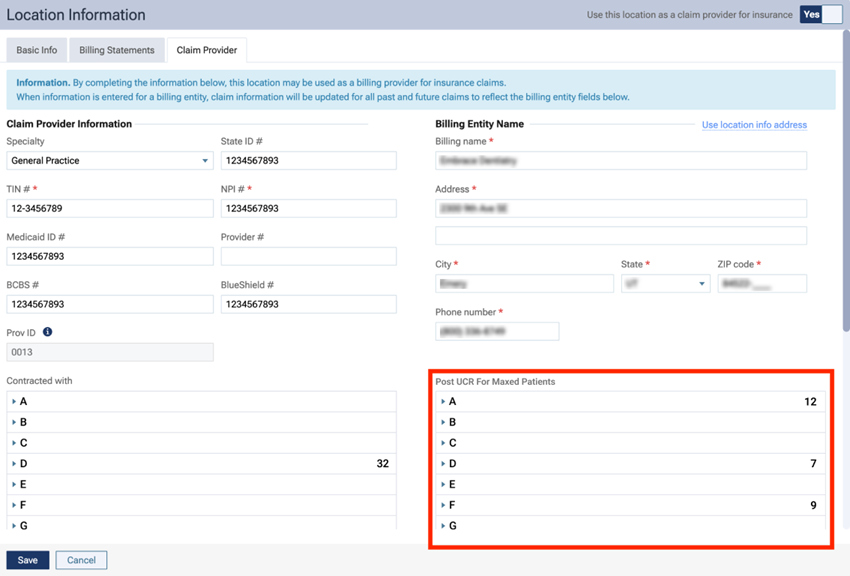
3. Under Post UCR For Maxed Patients, expand each lettered section as needed to view the corresponding insurance carriers, and select the checkbox of each carrier that permits you to charge your UCR fee when a patient’s annual maximum benefit has been reached.
Note: If a patient has primary and secondary insurance, to apply this rule to both plans, the checkboxes for both carriers must be selected here.
4. Click Save.
The UCR fee will be posted only if a patient has an applicable insurance carrier and has reached his/her annual maximum (the applicable Used benefit equals the Maximum benefit for the patient’s plan).
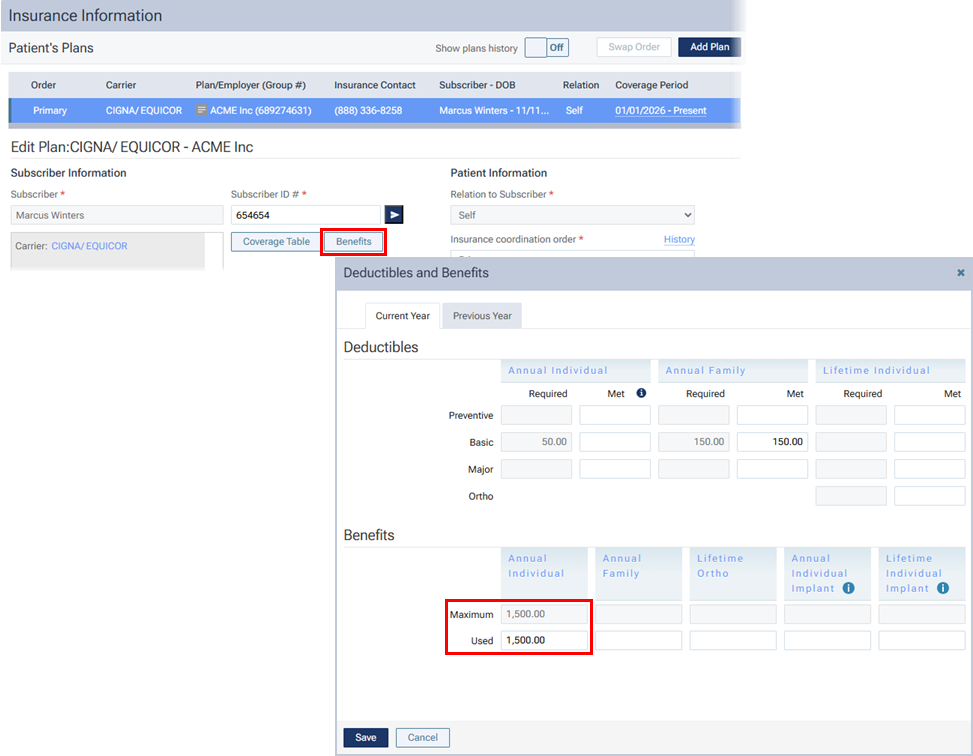
Note: The used benefits get updated automatically when you post insurance payments.
Treatment plan
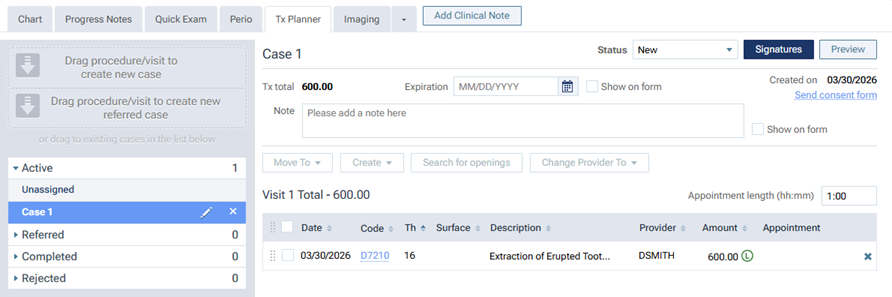
For a planned procedure, in the patient’s treatment plan, the UCR fee is posted.
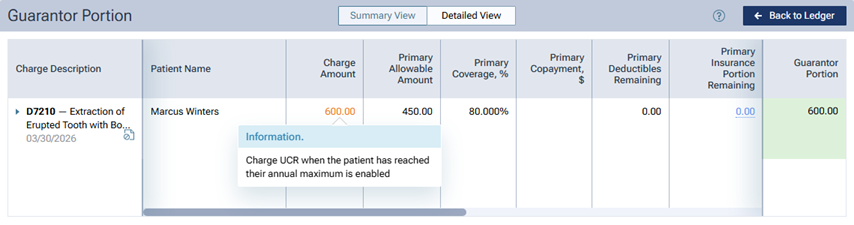
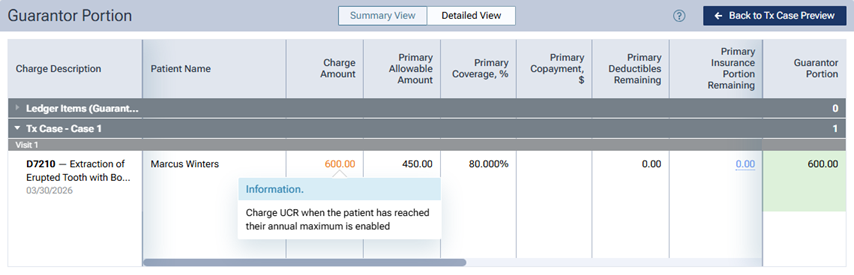
In the Detailed View of the patient’s treatment plan preview, the Charge Amount is displayed in orange text. You can click the amount (which is a link) to view a message, which states that the patient is being charged the UCR fee because his/her annual maximum has been reached.
Ledger
For a completed procedure, in the patient’s ledger, the UCR fee is posted, and the patient’s portion is the full amount of the UCR fee.
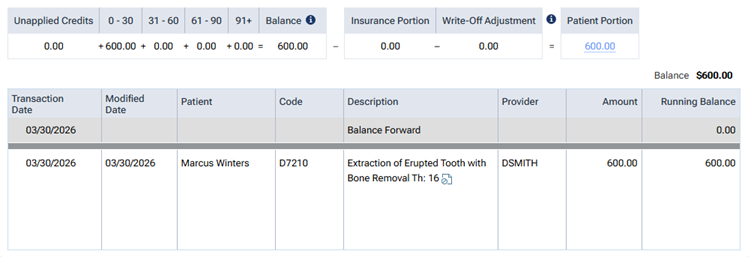
In the Detailed View of the patient’s ledger, the Charge Amount is displayed in orange text. You can click the amount (which is a link) to view a message, which states that the patient is being charged the UCR fee because his/her annual maximum has been reached.