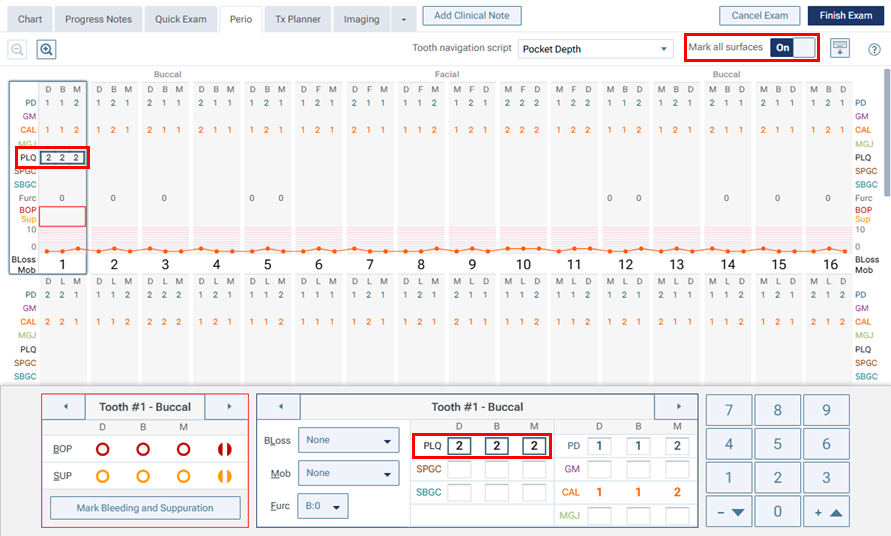
Released 2/4/26
The following options are now available when you are entering a perio exam:
- Recording plaque, subgingival calculus, and supragingival calculus.
- Recording a measurement for GM, MGJ, plaque, subgingival calculus, or supragingival calculus applies that measurement to all three sites (distal, mesial, and buccal/lingual) automatically.
To start an exam using the new options
1. On the Perio tab of a patient’s clinical record, click New Perio Exam.
The New Perio Exam dialog box appears.
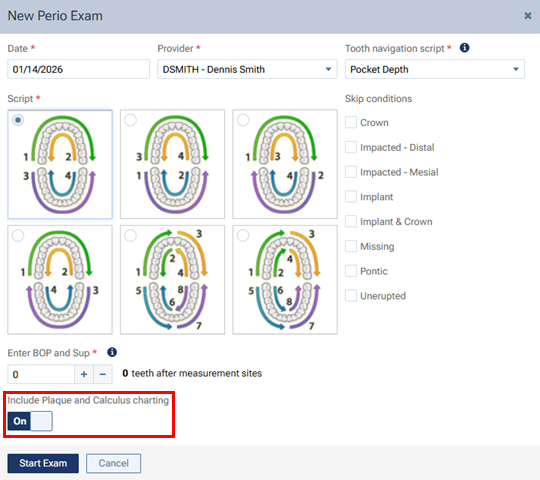
2. To record plaque and calculus, set the new Include Plaque and Calculus charting switch to On.
3. Click Start Exam.
The options for entering a perio exam become available.
For each tooth, there are now PLQ, SPGC, and SBGC options that you can use to enter those measurements for each site (distal, mesial, and buccal/lingual). These options are available only if the Include Plaque and Calculus charting switch was set to On.
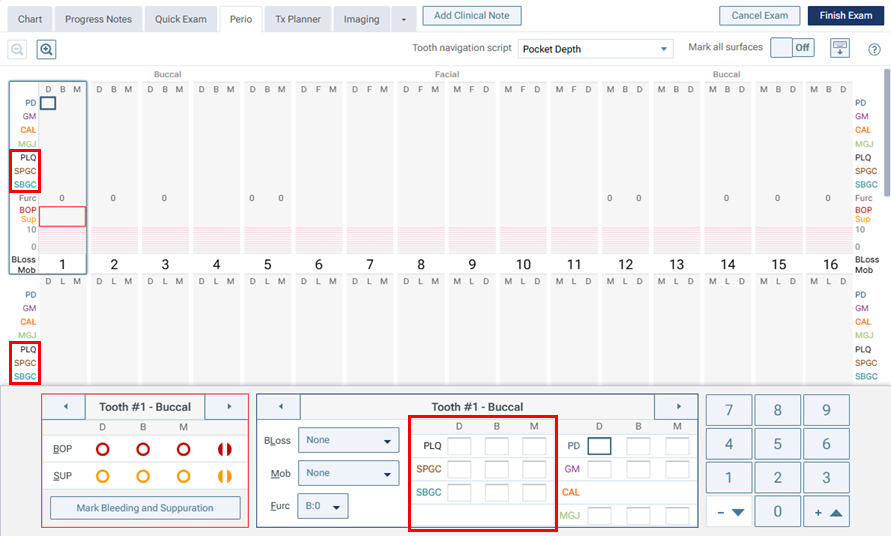
If you set the new Mark all surfaces switch to On, when you enter a measurement for GM, MGJ, PLQ, SPGC, or SBGC, that measurement is applied to all three sites (distal, mesial, and buccal/lingual) automatically. During the exam, you can turn this setting on and off as needed.